
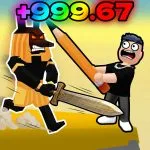
 Draw My Path Obby
Draw custom pencil paths to cross dangerous gaps, jump over hazards, and reach the finish line in Draw My Path Obby, free to play online in your browser.
Draw My Path Obby
What is Draw My Path Obby?
Draw My Path Obby is an online skill and puzzle platformer created by Emolingo Games. You guide a runner through tricky obstacle layouts by sketching custom bridges and slopes directly across open gaps. Instead of sticking only to pre-built ground, you must draw walkable lines to bypass hazards and beat opponents to the finish line. It runs entirely inside your web browser on desktop computers, phones, and tablets with no downloads or installation required.
Key features
- Interactive drawing: Sketch solid lines with your mouse to create custom paths across open terrain.
- Multiplayer competition: Race against other online players in real time to reach the goal first.
- Quick correction tools: Toggle your eraser or clear every drawn line instantly when a route fails.
- Obstacle navigation: Traverse hazardous platform arrangements by designing creative ramps and bridges.
- Cross-platform support: Play seamlessly on desktop setups as well as mobile devices such as phones and tablets.
How to play
- Join an online match and study the layout of the upcoming platform run.
- Select your pen and click with the mouse to draw a smooth line across the first pit.
- Run forward using the movement controls and leap onto your newly drawn walkway.
- Switch to the eraser or wipe the canvas if a drawn incline blocks your route.
- Continue ascending through the course while staying ahead of rival racers.
- Cross the final threshold to complete the course and win the match.
Controls
| Action | Keyboard / mouse |
|---|---|
| Move left or right | A and D, or Left Arrow and Right Arrow |
| Jump | W, Up Arrow, or Spacebar |
| Draw path | Mouse |
| Select pen | Q |
| Select eraser | E |
| Clear all drawings | R |
| Pause game | Escape |
Drawing tools and path mechanics
Success in this obstacle challenge relies on managing your drawing utilities while moving. Your drawn lines act as physical platforms that support your character. The pen tool allows you to place custom surfaces wherever you need a bridge or stepping stone over a hazard. If a drawn surface is angled too steeply or obstructs your jump, you can switch to the eraser to trim unwanted strokes, or wipe the entire canvas clean with a single input to reset your path.
Tips and strategy
- Draw shallow slopes: Incline your drawn ramps gently so your runner maintains forward momentum without getting stuck on steep edges.
- Clear mistakes quickly: Wipe all strokes instantly whenever an accidental mark blocks your route forward, saving valuable seconds.
- Keep bridges short: Sketch compact lines across gaps rather than lengthy spans to reduce drawing time while racing against opponents.
- Anticipate upcoming jumps: Prepare your pen placement before leaping so you can place supporting ground before gravity pulls you downward.
- Use the eraser for fine adjustments: Remove specific overlapping strokes without clearing your entire walkway when only a small portion is out of place.
Similar games
If you enjoy creative platforming and skill courses, try these other titles:
- Disaster Arena: An action game created by the same developer where survival hinges on fast reflexes and maneuvering through chaotic hazards.
- Into The Pit: An intense skill game that tests your movement precision across treacherous underground terrain.
- Castle Pals: A platformer focusing on quick character switching and puzzle solving through perilous castle corridors.
Developer and history
Draw My Path Obby was developed by Emolingo Games, an indie studio known for popular browser titles such as Rainbow Obby and Disaster Arena. The game was released on March 27, 2025, offering a mix of sketching mechanics and competitive course navigation across desktop and mobile browsers.