
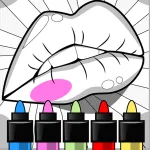
 Anycolor – Play Online for Free! | Poki
Unleash your creativity with Anycolor, a relaxing coloring book. Paint hundreds of unique designs, unlock vibrant color palettes, and download your art.
Anycolor – Play Online for Free! | Poki
Anycolor is a relaxing, digital coloring game developed by Aniway that invites you to unleash your creativity across a vast library of designs. Whether you are in the mood for intricate animal patterns, delicious food illustrations, stylized manga pages, or even spooky horror designs, the game provides a clean, user-friendly workspace to make each piece of art your own. With zero pressure and a massive variety of canvases, it is the perfect digital coloring book to help you unwind and express yourself.
A typical session is completely self-paced. You start by selecting an illustration from the catalog, then begin filling in the blank areas using a rich assortment of color palettes. The game loop is simple but deeply satisfying: zoom into the smallest details, experiment with contrasting shades, and watch your artwork gradually come to life. Once your masterpiece is complete, you can apply custom filters and outline styles to finalize the design and download it to share with others.
Controls
- Select / Color: Tap or left-click within any blank segment to fill it with your active color.
- Brush Tool: Click and drag on PC, or touch and drag on mobile, to color with precision.
- Zoom In / Out: Scroll the mouse wheel on desktop, or pinch to zoom on touchscreen devices, to easily paint small sections.
- Undo / Redo: Click or tap the undo/redo arrows on the screen to reverse or reapply your steps.
- Finish Design: Select the next arrow when done to apply filters and save your image.
Tips & Tricks
- Unlock New Palettes: Check the color menu regularly to discover and unlock fresh palettes, giving you more creative freedom.
- Zoom for Automatic Precision: When you zoom in close to an intricate area, the brush size automatically shrinks to help you paint fine details without bleeding over lines.
- Mix Fill and Brush Tools: Use the paint bucket tool to quickly cover large background areas, then switch to the brush tool for detailed sections.
- Apply Filters at the End: Don’t forget to experiment with different filters and outline settings once you finish coloring to give your artwork a unique final look.
Anycolor is ideal for players of all ages seeking a calm, creative escape. If you enjoy this game, try Prismo Coloring next for another relaxing, color-by-numbers puzzle game on Pork Games.