
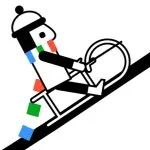
 Line Rider
Draw your own track and watch a rider sled down it in Line Rider, a physics sandbox where every curve, drop, and loop is something you built yourself.
Line Rider
Line Rider is a physics sandbox with no levels and no fail state: you draw the track, and the rider slides down whatever you built. There’s no pre-made course to memorize — just a blank canvas, a pencil, and a little sledder who obeys gravity and momentum exactly as your lines dictate.
A session usually starts small — a simple downhill slope to get a feel for how the rider handles a curve — before it turns into something more ambitious: a ramp into a loop, a long drop that ends in a flip, a track built purely to see if the rider survives it. The appeal is watching your own drawing come to life as physics, then going back to fix the one line that sent the rider flying off the seat.
Controls
Click and drag with the mouse to draw track lines; release to set them. Use the eraser or undo to remove a line that didn’t work out. Hit play to run the physics simulation and watch the rider move along your track, and pause to stop and keep editing. On a touchscreen, drag a finger to draw and tap the play control to test the track.
Tips that actually help
- Keep curves smooth rather than jagged — a sharp angle in a line tends to catch the rider wrong and throw them off instead of carrying them through.
- Build in speed before you build in tricks. A loop or flip needs momentum to complete, so give the rider a decent slope to gather speed before asking for anything fancy.
- Test as you go. Play the track every few lines instead of drawing the whole thing blind — it’s much easier to fix one bad section than to find it buried in a long track.
- Short, connected line segments shape a curve more precisely than one long straight line; use them where the rider needs to turn.
It’s a slower, more creative pace than most browser games — closer to a drawing tool than a race — so it suits anyone who’d rather build something and watch it play out than chase a score.