
 Sprunki – Play Online for Free! | Poki
Create custom beats and trigger the eerie horror mode in Sprunki, a popular Incredibox mod where you drag and drop animated characters to build catchy songs.
Sprunki – Play Online for Free! | Poki
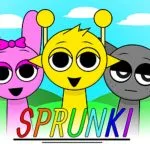
Sprunki is a fan-made musical sandbox mod based on the popular rhythm game Incredibox, created by developer NyankoBfLol. The game allows you to assemble your own quirky beatbox band by dragging and dropping colorful character icons onto a lineup of silent silhouettes. Each character adds a unique layer to the composition, ranging from thumping basslines and synth loops to vocal beats and sound effects, making it easy to construct a catchy track from scratch.
While the game starts out with a bright, charming cartoon aesthetic, it holds a famous, chilling secret. Dragging the mysterious black hat icon onto one of your performers triggers “horror mode,” instantly transforming the visual landscape into a dark, eerie environment with distorted characters and haunting audio loops. This sudden shift from a playful music mixer to a mascot horror experience has made Sprunki a viral sensation in the rhythm gaming community.
Controls
Sprunki features intuitive drag-and-drop controls that make it easy to start mixing music instantly:
- Select & Drag: Use your mouse cursor (desktop) or finger (mobile/touch) to click and drag sound icons from the bottom tray onto the characters.
- Mute: Click or tap an active character once to silence their sound layer without removing them.
- Solo: Click or tap the headphone icon above a character to mute all other performers and listen to that layer on its own.
- Remove: Click or tap the “X” button or swipe down on a character to clear them from the stage.
- Horror Mode: Drag the black hat icon onto any character to trigger the spooky visual and audio transformation.
Tips for Creating the Perfect Mix
- Lay Down the Beat First: Start your session by dragging one or two percussion (beat) icons to the stage. Establishing a steady tempo makes it much easier to layer melodies and vocals cohesively.
- Embrace Silence: You do not need to fill all seven slots immediately. Leaving some characters silent or using the mute function strategically creates dynamics and makes the drops in your song feel more powerful.
- Experiment with Category Combos: Try mixing different colors together—each color group represents a specific type of sound (beats, effects, melodies, and voices). Balancing these groups ensures a full-sounding mix.
If you enjoy creating beats and playing with rhythm, you might also want to try your hand at matching fast-paced tracks in Friday Night Funkin Online, another hit musical game available on Pork Games.