 Connect Puzzle
Match emoji pairs and draw clean connection lines across puzzle boards in Connect Puzzle, available to play free in your web browser.
Connect Puzzle
What is Connect Puzzle?
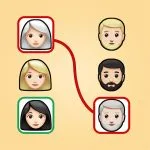
Connect Puzzle is a browser-based brain and logic puzzle game developed by Finz Games. The objective is to pair identical icons and emojis across a grid layout by drawing connection paths that never intersect or overlap. Each completed stage requires filling the board while establishing direct paths between matching pairs. Connect Puzzle runs directly inside any modern desktop or mobile web browser, requiring no downloads, client installations, or user registration.
Key features
- Pair matching: Link matching emoji pairs across the grid board.
- Non-overlapping paths: Route each line cleanly without crossing existing tracks.
- Grid layouts: Solve puzzles arranged on distinct spatial patterns.
- Logic training: Exercise spatial awareness and deductive reasoning on every stage.
- Cross-platform access: Play on desktop computers, tablets, or smartphone browsers.
- Flexible orientation: Rotate your mobile device to play in portrait or landscape.
How to play
- Survey the layout to identify matching pairs placed across the board.
- Select an initial icon using your cursor or touch display.
- Trace a clear path toward the identical counterpart without crossing other lines.
- Repeat the process for all remaining pairs until every match is established.
- Ensure all grid spaces are resolved cleanly to finish the round.
Controls
| Action | Keyboard / mouse | Touch |
|---|---|---|
| Select and connect icons | Left mouse click | Tap screen |
Path routing mechanics
Connecting icons requires careful route planning. Because drawn lines cannot cross over one another, establishing a path across the center of the board may block access to outer icons. Successful rounds require leaving open corridors so every pair can reach its match without collision. As board configurations grow more intricate, players must anticipate which lines should run along the perimeter and which should traverse the interior.
Tips and strategy
- Trace outside edges first: Routing lines around the outer border keeps the central grid open for pairs that cannot easily reach the perimeter.
- Target obvious pairings: Connecting adjacent or nearby icons right away narrows down open pathways for tricky matches located farther apart.
- Avoid blocking empty lanes: Check that your intended trajectory leaves a clear passage for pairs sitting on opposite corners.
- Rethink prior routes when stuck: If a path is blocked, undo or adjust earlier connections to create space rather than forcing intersecting lines.
- Scan before clicking: Looking over the entire board before making your opening move helps you spot potential bottlenecks early.
Similar games
Guess the Emojis challenges your knowledge by asking you to identify words and phrases represented by colorful emoji symbols.
Yarn Untangle delivers a spatial untangling experience where you rearrange intersecting strands until no lines overlap.
Zooplop is a merge-based brain teaser focused on combining matching animal shapes on a crowded playing area.
Developer and history
Connect Puzzle was created by Finz Games and released in November 2024. The title was designed to offer approachable yet mentally stimulating icon connection puzzles directly in web browsers. It provides intuitive mouse and touch support across modern desktop and mobile platforms.
I’ve been playing this one a lot lately.