
 Run 3 Editor
Design your own floating space tunnels in Run 3 Editor and run through them — gravity rotates to any wall, so every gap you set plays differently at speed.
Run 3 Editor


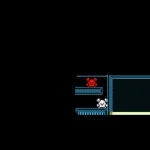




















Run 3 Editor pairs the tunnel-running of the original Run 3 with a level-building mode — you lay out the floating tile corridor, set the gaps, and then run through exactly what you built. The physics that make the original memorable carry over: gravity always points toward the surface underfoot, so the tunnel can rotate around the runner mid-run. A passage you design on the floor becomes a wall passage the moment the player tilts, and a layout that looks comfortable in the editor can play completely differently at speed.
Sessions split naturally between building and running. Lay down tiles, punch in a gap where you want tension, then jump in and find out whether it actually works. Adjust and repeat. For anyone who has cleared the main Run 3 stages and wants more to do, the editor mode is the obvious next step.
Controls
- Arrow keys or WASD — steer the runner left and right during a run
- Mouse — place and remove tiles in the editor view
On mobile and tablet, tap left or right to steer while running.
Building tips
- Test early. Run a section before finishing the full tunnel — a gap that looks generous in edit view can close fast once the tunnel rotates at speed.
- Design for rotation. Gravity shifts to whichever face the runner lands on. Place your hardest gaps where a rotation will make them arrive unexpectedly.
- Keep single-tile passages short. One tile of width is intense to sustain — good for a burst of pressure, but stretch it too long and the challenge tips from skill into luck.